
ID Card Printers
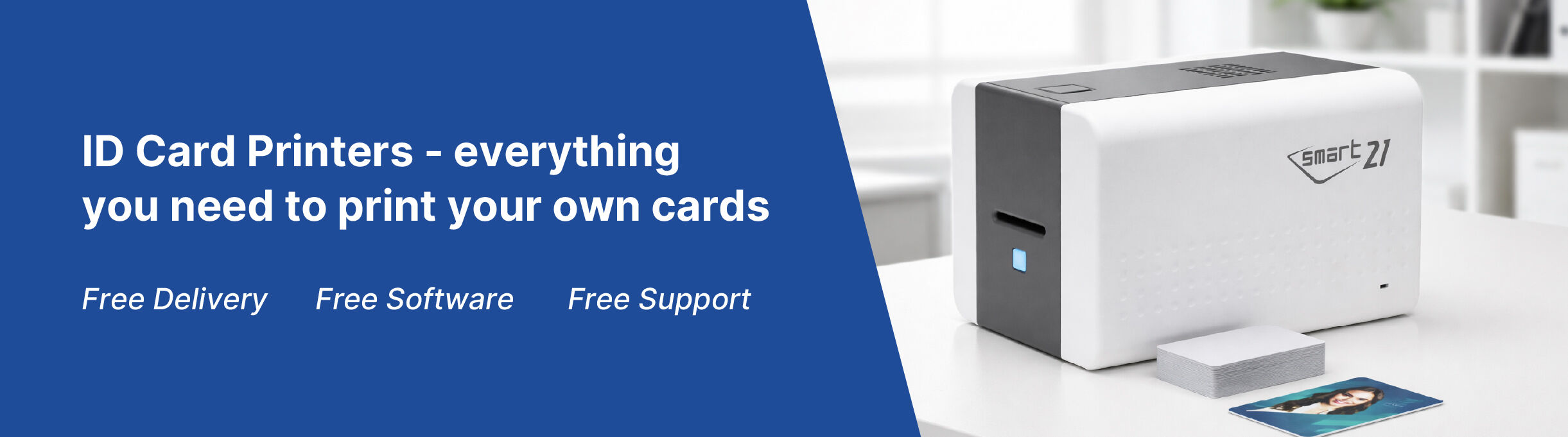
Shop our range of the most popular ID card printers in 2026. Whether you're printing basic photo ID cards or access cards with embedded chips, we have options to suit your ID card printing needs. DTC printers are ideal for standard visual ID, while retransfer printers are better for cards with uneven surfaces like access control chips. Want an easy start? Our printer bundles include everything you need to get going.
1–24 of 105 items
.jpg?mode=v)
.jpg?mode=v)
.png?mode=v)
.png?mode=v)
.jpg?mode=v)
.png?mode=v)
.jpg?mode=v)
.png?mode=v)
.jpg?mode=v)
.jpg)
.png?mode=v)

.jpg?mode=v)
.jpg?mode=v)
.png?mode=v)
.png?mode=v)
.jpg?mode=v)
.jpg?mode=v)
.jpg?mode=v)
.png?mode=v)
.png?mode=v)
.png?mode=v)

.jpg?mode=v)
.jpg?mode=v)
.jpg?mode=v)
At Lesar UK, we offer an ID card printer for every requirement and budget, whether you need to print a handful of staff ID cards or produce hundreds of professional plastic cards on demand.
Our range includes compact single-sided ID card printers for smaller print volumes, through to advanced dual-sided ID card printers with options for card encoding and lamination. These additional security features are ideal for organisations producing employee ID cards, access control cards, membership cards and other secure credentials.
Choosing the right ID card printer
The best ID card printer for your organisation will depend on how many cards you need to produce, how frequently you'll print and the features your cards require. For straightforward photo ID cards, a single-sided printer may be all you need. If you want information printed on both sides, a dual-sided model can automate the process and save time.
For higher-security applications, consider an ID card printer with encoding capabilities for magnetic stripe, contactless or smart cards. Lamination can also add durability and provide an additional layer of protection against card tampering.
Everything you need to start printing
Looking for a hassle-free setup? Our specially curated ID card printer bundles combine a printer with the essential ribbons, blank plastic cards and accessories you need to start producing professional ID cards straight away.
If you're shopping on a tighter budget, our refurbished ID card printers offer a cost-effective alternative to buying new equipment.
Not sure which ID card printer you need? Our team can help you compare models and find the right printer for your card volume, security requirements and budget.
Alternatively, if you'd rather not print cards in-house, Lesar can print your staff ID cards for you. Find out more about our staff ID card printing service.
Looking to purchase an ID Card Printer but not sure where to start?
Lesar offer a full range of ID card solutions including plastic card printer machines. An ID card printer is a desktop printer that allows you to create personalised staff ID cards. Have you seen our Top 9 ID printer recommendations, written by our experts? Find out which is the best ID card printer for you here. Additionally, if you're on a tight budget, see our recommendations on the top 3 best value ID Card Printers.
Key points to consider when purchasing an ID Card Printer
Choosing the right ID card printer for your business isn't always as straightforward as it sounds. With different printing technologies, features and security options available, it's important to choose a printer that suits your specific requirements. Here are a few key factors to consider before purchasing an ID card printer:
Over-The-Edge Printing or Edge-to-Edge printing
Over-the-edge printing is a print method that leaves no visible border around the edges of your printed ID card. This print method is known as retransfer printing and is considered to be more expensive. With over-the-edge printing, you are guaranteed a higher quality, more professional-looking ID card.
Edge-to-edge is a more affordable option. Edge-to-edge printing is where a slim border is left around the surface of your final printed ID card. This is because the area around the card does not have any printing applied to it. The border colour is dependent on the colour of the card chosen for the printing job.
ID Card Durability and Security Features
Depending on your requirements, look for printers that can produce durable cards resistant to wear and tear. Some printers offer features like holographic overlays, QR codes, Mifare, Signature panels and more for enhanced card security.
Three ID Card Printer Features
Print Volume: Before purchasing your ID printer, find the quantity of cards your business expects to print in each session but also during any given year.
Print Speed: Print speed is a sought after requirement which works hand in hand with print volume for customers wanting to print ID cards on demand.
Print Security: Our printer range offer a range of security features, but manufacturers offer different types and levels of security for your printer and ID cards.
Single-Sided or Dual-Sided ID Card Printer
Single-sided card printers are designed to print on the front side of the ID card, leaving the reverse side blank. Single-sided cards are ideal for applications including offices, schools, and memberships.
Dual-sided card printers are specifically engineered to print on both the front and back sides of an ID card, maximising the available space and information display. Dual-sided printers are highly versatile and are well-suited for a wide range of applications where comprehensive card data is required.
ID Card Design Software
Consider whether the ID card printer comes with user-friendly software for designing and customising ID cards. Ideally, the software should offer a wide range of design options, variable data printing capabilities, and support for database integration.
Price:
Understand that printer features contribute to price variations across the market. It's important to determine which features are essential for your operation. For instance, if dual-sided printing is not crucial, a single-sided printer with manual card flipping can suffice. Similarly, if you only require monochrome text, a printer with lower dpi may meet your needs. Assess your requirements to make a purchasing decision that fits your budget.
Connectivity Options
Check for connectivity options such as USB, Ethernet, or Wi-Fi. This allows for easy integration with your existing network and enables multiple users to access the printer.
Encoding Capabilities
If you require additional functionality such as encoding magnetic stripes, smart cards, or proximity cards, ensure that the chosen printer supports the necessary encoding technologies.
ID Printer Reliability and Maintenance
Look for a reputable brand, or an official reseller, known for producing reliable printers. Check if the printer has features like automatic cleaning cycles, self-diagnostic tools, and easy-to-replace consumables to ensure smooth operation and reduce downtime.
Security Features:
If security is a top priority, look for printers that offer enhanced security features such as secure overlays or encoding options. These features can help prevent card cloning and enhance the overall security of your ID cards.
Your Printer Includes:
Your ID Card Printer includes free delivery, Free software and free CardCare 1 for 30 days.